
PRODUCT
SSD Auto BurnIn Test BIT

The SSD Auto Burn-In Test System is designed for automated batch testing and high-temperature screening of 2.5-inch SATA SSDs. Each test computer supports 24 SSDs, while a complete 32-computer system can test up to 768 SSDs simultaneously.
The system integrates automated BIT testing, temperature control, independent port power, LED result indicators, and centralized computer management to reduce manual operations and improve production testing efficiency.
OUTER BOX SIZE:180 X 207 X 101.6CM (WxHxD) STUDIO SIZE:150 X 135 X 35CM(WxHxD)
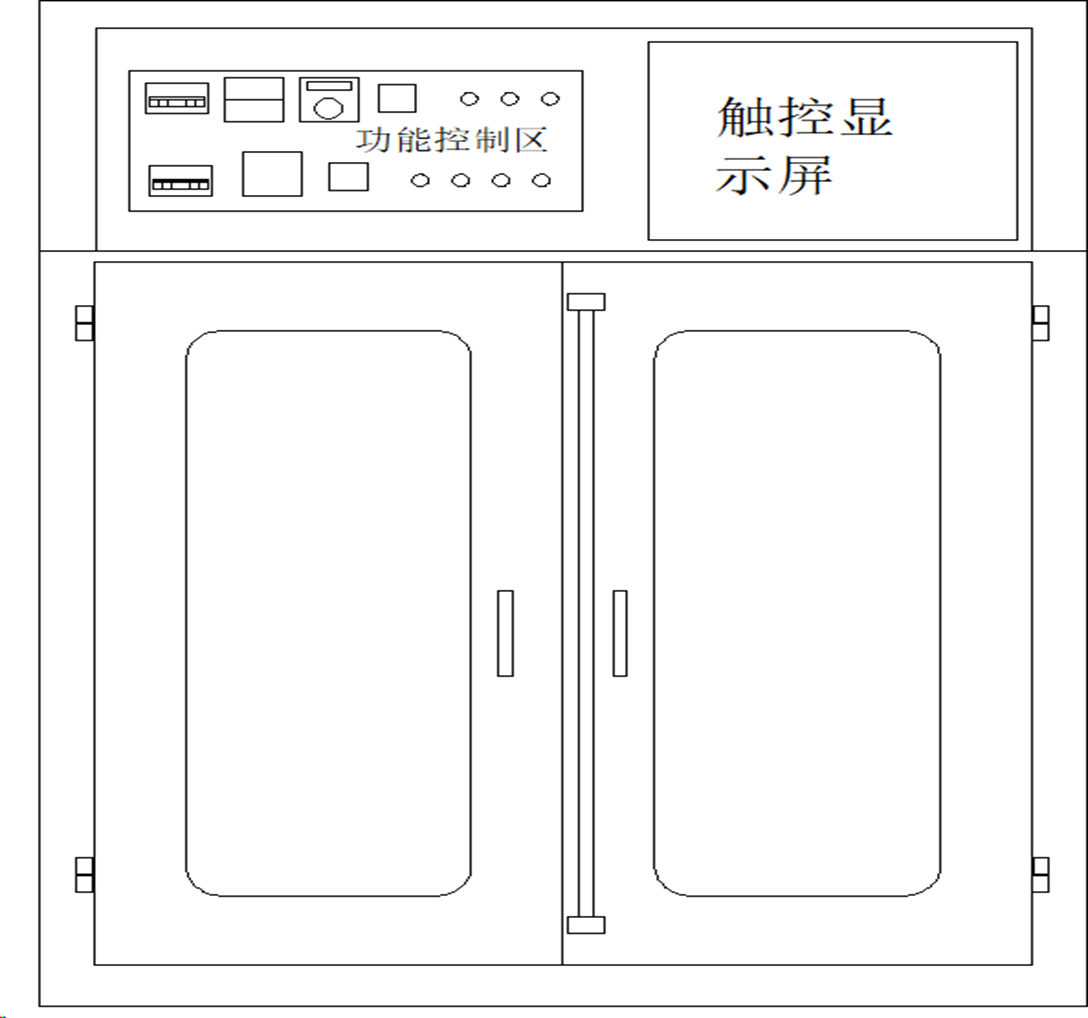
Cabinet Performance Specifications
Heating Chamber
1. The exterior cabinet is constructed from 1.2 mm cold-rolled steel sheet.
2. The inner chamber is constructed from 1.2 mm galvanized steel sheet.
3. The chamber features an 80 mm thermal insulation layer made of aluminum silicate rock wool.
4. The air circulation system uses one Taiwan Oakli vertical extended-shaft motor rated at 1 HP/380 V. It is equipped with a 10.5-inch fan blade and an over-temperature forced-exhaust fan.
5. Air is supplied through outlets on the left and right sides and returned through the upper air inlet.
6. The rear section of the chamber is 350 mm deep and divided into four layers.
7. The rear section measures 1,500 mm wide × 350 mm deep, with its height corresponding to the overall chamber dimensions. It includes four trays, each measuring 350 × 1,500 × 15 mm.
Heating System
The chamber uses ceramic heating elements with a total heating power of 9 kW.
• Temperature range: Ambient temperature to 70°C
• Temperature-control accuracy: ±0.1°C
• Temperature fluctuation: ±1°C
• Chamber temperature uniformity: ±5°C under no-load conditions at a constant temperature
Electrical Components
1. An RKC intelligent digital temperature controller with PID auto-tuning provides precise temperature control.
2. CHINT AC contactors control the heating system.
3. A PT100 platinum resistance sensor measures the chamber temperature
-
Additional electrical components include:
∙ Over-temperature controller
∙ Phase protector
· Indicator lights
· Switches
· Relays
· CHINT AC contactors
· Voltmeter
· Ammeter -
Safety and control functions include:
· Over-temperature alarm and automatic power shutdown
· Temperature timing control
· Alarm and automatic shutdown when the preset time is reached
· Fully automatic operation
Surface Finish
The exterior cabinet is finished in computer white.
2、Device
The equipment requires a 380 V power supply and a power cable with a minimum cross-sectional area of 10 mm².
· Total rated power: 6 kW· Peak power at startup: 6 kW
· Average power consumption during testing: Approximately 4 kW
3. Purpose

The system simplifies SSD testing by reducing manual operations and enabling clear visual identification of failed units.
With one-click operation, it can simultaneously test up to 24 SATA SSDs and automatically complete the BIT burn-in test and result evaluation without manual intervention.
This automated process helps reduce operator error and improve production testing efficiency.
4. Equipment Configuration
-
Industrial PC
∙ 10th-generation PC platform
∙ Windows 10 64-bit
∙ Dual-core CPU
∙8 GB DDR4 memory -
Independent SATA Power Supply
∙ Each SATA port is independently powered at DC 5 V/4 A
∙ 12 V-to-5 V switching power supply -
SSD Testing Capacity
∙ 24 × SATA III 2.5-inch SSD ports per computer
∙ Up to 32 integrated test computers
∙ Maximum simultaneous test capacity: 768 SSDs
5. Temperature control system
The temperature-control system can be switched on or off manually and includes precision air circulation for stable chamber temperature control. The over-temperature protection threshold can be configured according to test requirements.
When testing begins, the heating system activates and raises the chamber temperature from ambient temperature to 70°C in approximately 10 minutes. It then maintains the configured test temperature.
If the chamber temperature exceeds the preset limit during BIT testing, the exhaust system activates automatically to discharge hot air and return the chamber to the set temperature.
6. Test Procedure
• Insert the SSDs into the test computer. The corresponding LED indicator displays the drive-recognition status.
• Click Run on the BIT burn-in test board. The software automatically scans all 24 SATA interfaces, detects the connected SSDs, and starts the BIT test.
• After the BIT test is completed, the LED indicators display the results:
。Green: PASS。Red: FAIL
• The system can be configured to skip the K3 function or automatically execute the K3 procedure after BIT testing. This function is available only for supported controller solutions.
7. BIT Test Board
1. Equipped with 24 × 2.5-inch SATA ports.
2. Each SATA port has an independent power supply.
-
3. Each port includes a three-color LED indicator:
◦ Solid green: SSD recognized/normal status
◦ No light: SSD not recognized
◦ Red: BIT test failure
◦ Blue: Abnormal speed test
4. The BIT test board includes a power ON/OFF button and computer status indicators. System power can be controlled directly through the test board.
8. Computer management
1. BIT test parameters can be configured centrally through the host server, eliminating the need to configure each test computer individually. The operating status of all test computers can also be monitored and managed remotely.
2. Each test computer connects to the host server through an IP address. No KVM switch is required, and a single monitor can manage up to 32 test computers.
9. Software
1. By default, the monitor displays the host computer interface. To access another test computer, operators can use SoftPerfect Network Scanner to locate and connect to it over the network.
2. After connecting to a test computer, operators can monitor the SSD burn-in status and view the results as PASS or FAIL. Failed SSDs are highlighted in red for quick identification.
-
3. The software supports multiple SSD controller test solutions, including:
4. Supported test solutions can be switched easily and updated as required.
∙ Realtek
∙ SMI
∙ Deyiwei
A. Server interface

B.Client host interface
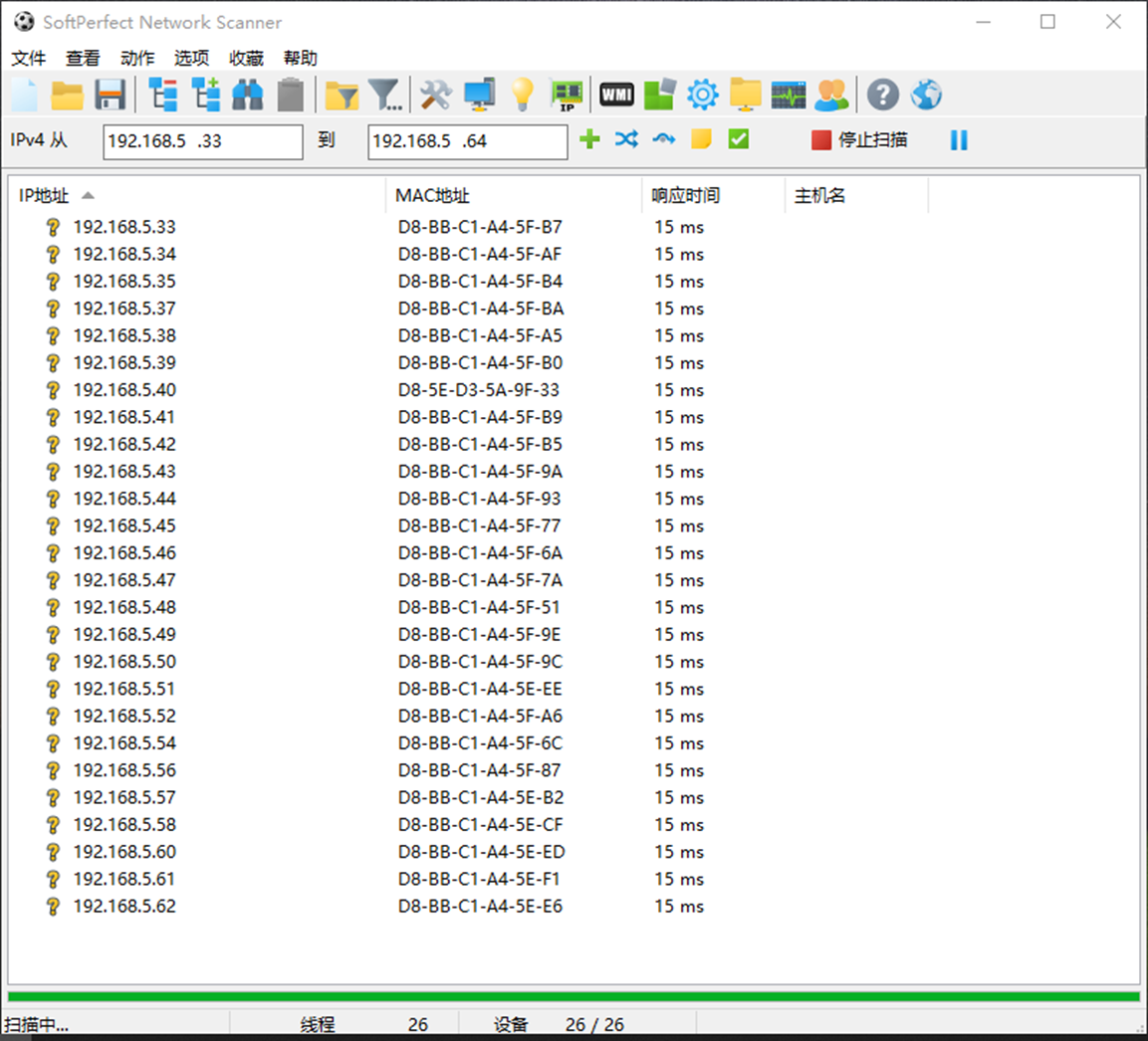
C.Handset test interface
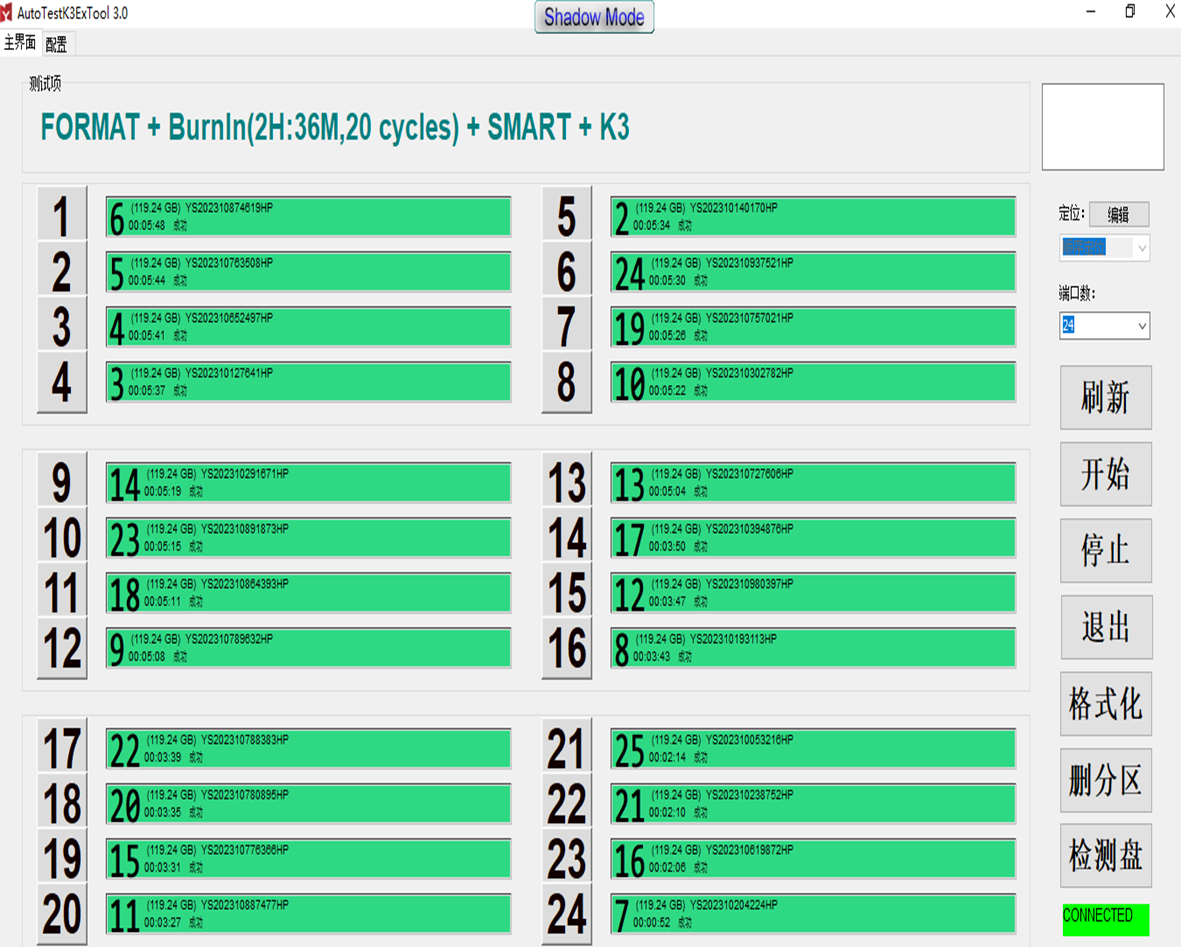
SATA SSD test line comparison: estimated by 200K/month test capacity

